Hardware aware.
Scarlet AI understands microcontrollers, embedded libraries, timing, protocols, and SmowCode flowchart nodes.

Draw or write your code. Flash it in 5 minutes.
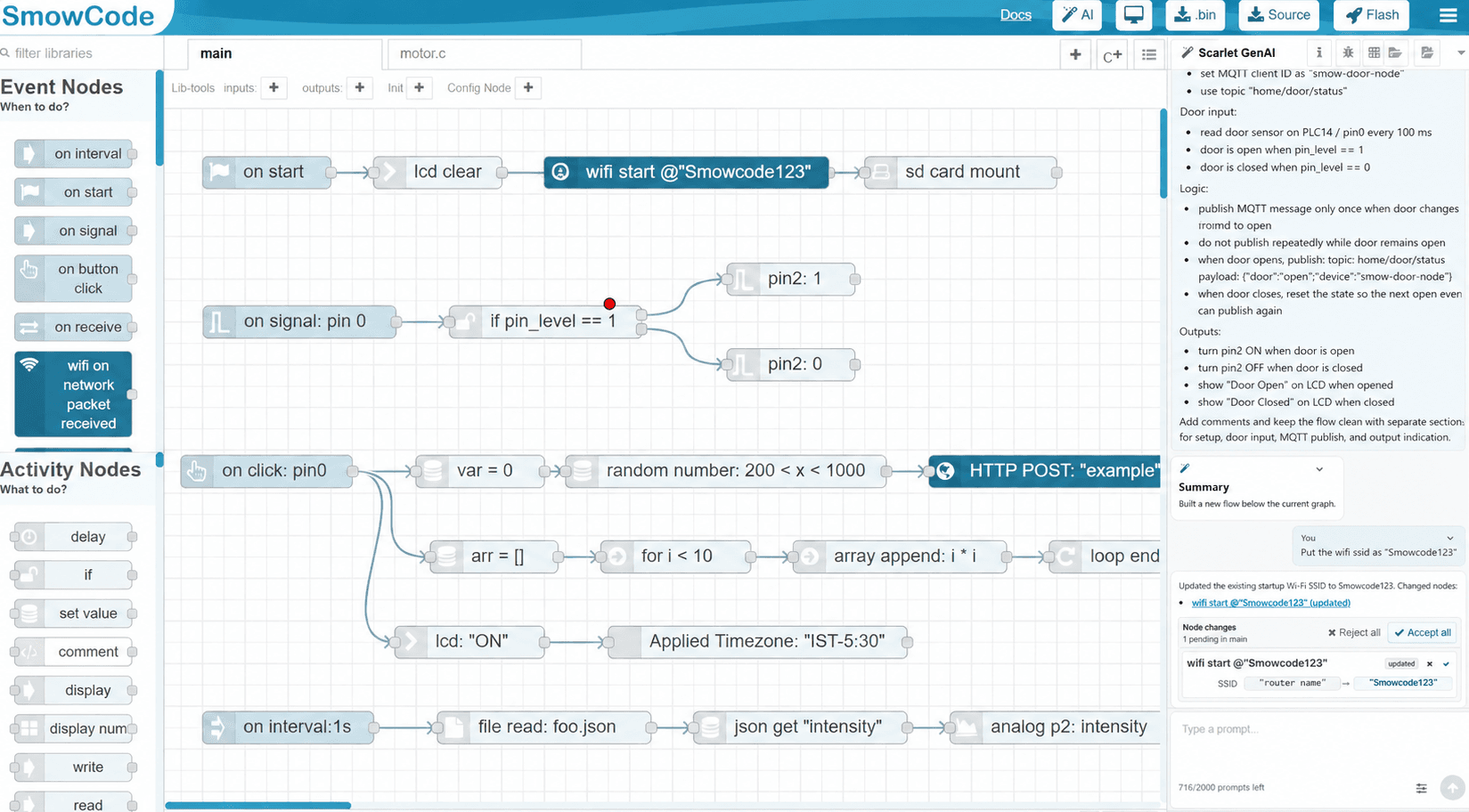
Scarlet AI
Scarlet AI understands microcontrollers, embedded libraries, timing, protocols, and SmowCode flowchart nodes.
Users describe behavior in normal engineering language, not generic AI prompting tricks.
Create a new flowchart, improve an existing flow, explain nodes, or add logic.
Edit every node, branch, variable, event, and custom code block.
AI creates flowcharts. SmowCode software then generates the C code from known software blocks. This reduces hallucination risk in generated firmware output.
Industrial workflow
Review firmware as graphical logic while keeping industry-grade code depth underneath.
Our teams will work with you to help you realise complex automation of development activities from idea to development, testing and shipping.
Integrate SmowCode outputs with engineering workflows, code pipelines, and team reviews.
No local toolchain setup, black-screen terminal errors, compiler mismatch, or driver friction for supported workflows.
Automatic RTOS workflows, queues, semaphores, and thread-safe patterns from visual firmware blocks.
Advanced controls
Hardware support
FAQ
SmowCode is a graphical coding IDE with its own compiler. The SmowCode team has added an AI layer on top of graphical coding, so users can either code by dragging and dropping flowchart blocks or write a prompt and let AI generate the flowchart. This keeps teams at the logic level while still producing firmware.
Generic AI tools can generate code, but embedded teams still need repeatability, hardware context, reviews, flashing, debugging, and control. SmowCode uses AI to create or edit flowcharts, then uses SmowCode software to generate firmware from known blocks.
No. SmowCode is not just a prompt-to-code tool. Scarlet AI helps create and edit flowcharts, while the SmowCode platform handles graphical logic, compiler output, browser build, flashing, debugging, source download, and manual engineering control.
No. The AI layer sits on top of SmowCode's existing graphical coding IDE, compiler, firmware blocks, and browser-based workflow. AI improves speed, but the platform itself provides the firmware development system.
Yes. Engineers can edit the generated flowchart manually, change nodes, add custom C/C++/ASM, configure events, and review the logic before building.
Yes. Teams can download generated C source code, binaries, and build outputs for review, archive, and integration.
For supported workflows, SmowCode runs in the browser with cloud build and flashing support, reducing local setup problems and compiler mismatch issues.